

Short-form video dominates social media today. Platforms like Threads, Instagram, and X (formerly Twitter) are full of clips, tutorials, interviews, and viral moments that people often want to save. Sometimes it’s for offline viewing, sometimes for research, or simply to keep a copy of something interesting.
Despite the popularity of video content, most social networks don’t provide a built-in way to download media directly. In many cases the only option is to bookmark a post and hope it doesn’t disappear later.
Because of that, many users rely on simple browser-based tools that can extract the video file from a post link. These tools work quickly and usually require nothing more than copying and pasting the URL.
Below is a quick overview of how video downloads work across Threads, Instagram, and X.
Quick Overview of Video Download Tools
Different social networks use different formats for video delivery. As a result, most download tools focus on a specific platform.
| Platform | Content Type | Tool Type | Main Advantages |
|---|---|---|---|
| Threads | Threads posts & videos | download Threads videos online | Fast browser download, HD quality, no login required |
| Videos, Reels, photos, stories | instagram video downloader | Supports Reels, IGTV, and multiple media types | |
| X (Twitter) | Videos from tweets | x video downloader | MP4 downloads with multiple quality options |
Even though each platform works slightly differently, the basic process is similar: copy the link to the post and paste it into the downloader.
Downloading Videos from Threads
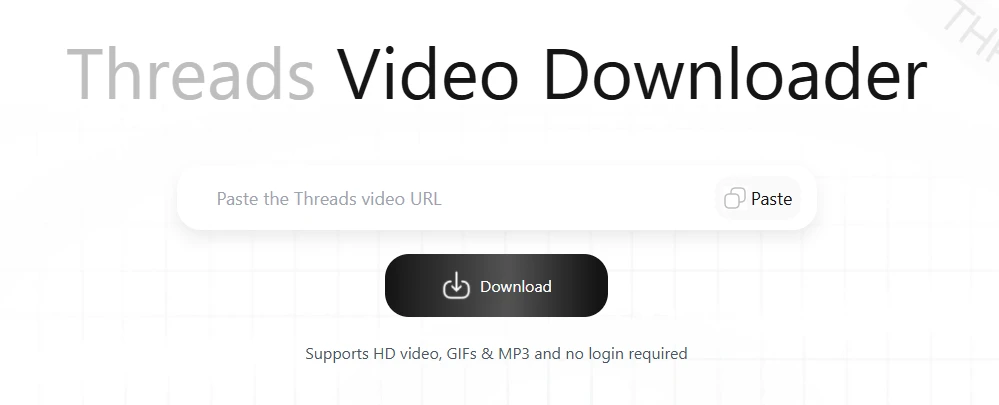
Threads has quickly become a popular place for sharing short videos and media posts. However, the platform currently doesn’t offer a native download feature for videos.
One practical solution is using a browser tool that allows you to download Threads videos online by simply pasting the post link.
Quick Instructions
- Open the Threads post that contains the video.
- Tap the share icon and copy the link.
- Open the video downloader in your browser.
- Paste the Threads URL into the input field.
- Click the download button to save the file.
The video is typically generated as an MP4 file and can be stored directly on your device. Since the process works entirely in the browser, it functions on both desktop and mobile devices without any installation.
Saving Videos and Reels from Instagram

Instagram hosts several types of video content today — traditional posts, Reels, Stories, and IGTV clips. While the platform allows easy viewing and sharing, downloading media directly isn’t part of the official interface.
Using an instagram video downloader allows users to save videos or Reels by processing the post link.
Quick Instructions
- Open Instagram and locate the video or Reel you want to download.
- Tap the three-dot menu on the post.
- Select Copy Link.
- Paste the link into the downloader tool.
- Click download to save the video.
Depending on the service, it’s often possible to download:
- Reels
- standard video posts
- photos
- carousel posts
- stories
This flexibility is useful for creators, researchers, or anyone collecting reference material.
Downloading Videos from X (Twitter)

X has long been a platform where breaking news, highlights, and short clips circulate quickly. Videos are widely shared, but like many platforms, downloading them directly isn’t supported.
A simple workaround is using an x video downloader, which extracts the video from the tweet link.
Quick Instructions
- Find the tweet that contains the video.
- Copy the tweet’s URL.
- Open the downloader tool in your browser.
- Paste the link into the input field.
- Choose the available resolution and download the file.
Many downloaders provide several quality options depending on the original upload. Most videos are delivered as MP4 files that work on almost any device.
A Practical Approach to Saving Social Media Videos
Saving videos from social platforms doesn’t need to involve complicated software or browser extensions. In most situations, a simple link-based tool is enough.
The process is almost identical across platforms: copy the post link, paste it into the downloader, and save the video file. The main difference is choosing the right tool for the platform you’re using.
For example, a service that helps download Threads videos online is optimized for Threads posts, while an instagram video downloader handles Reels, stories, and standard Instagram media. When dealing with tweets that contain video clips, an x video downloader can quickly generate a downloadable file.
Because these tools work directly in the browser, they’re compatible with smartphones, tablets, and desktop computers. That makes them especially convenient when you want to save a clip quickly without installing additional software.